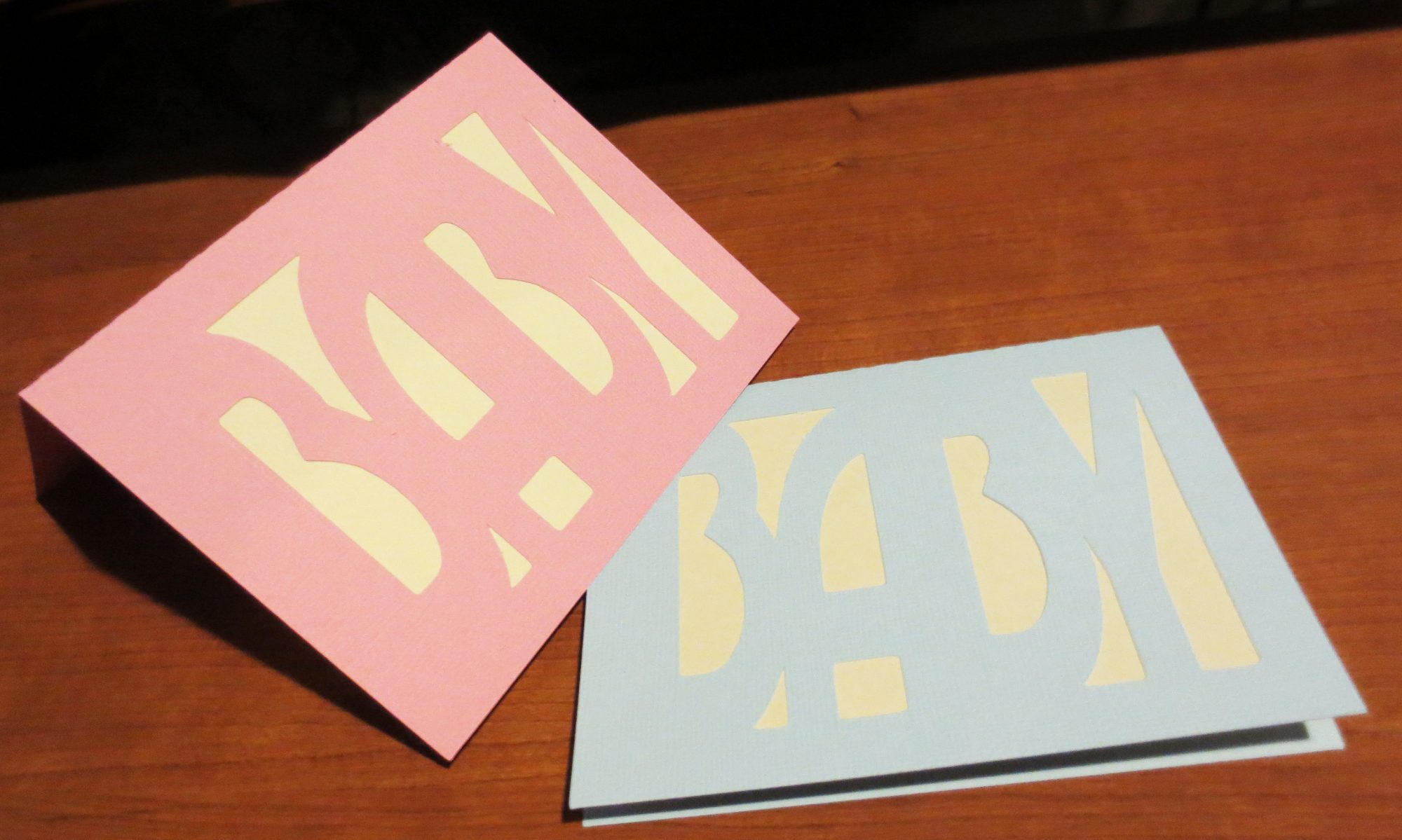
Let’s start with a basic half-sheet folded card. It’s good to know how to do this when you need a card, but don’t have ready-made cards handy. (Actually, for the most part, I don’t use ready-made cards any more. I made this card once in ScanNCut Canvas, saved it, and now I have it ready to cut any time I need it.)
Materials: One sheet of 12×12 cardstock, any color.
Steps:
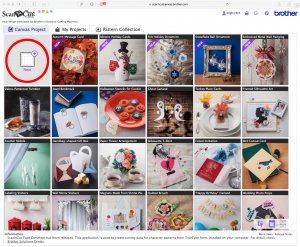
1) Log in to ScanNCut Canvas.
2) Click on the New Project box (circled in red).
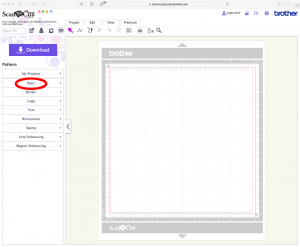
3) In the menu at left, click on Basic.
4) In the menu of shapes at left, click on the square at the upper left.
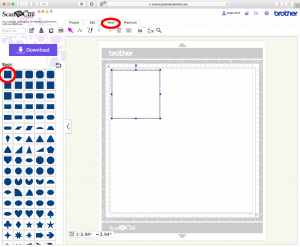
A square will appear in your project space. Then click on the View tab, and Show Properties (not shown) in the box that appears.
5) The View box now shows the size and other specifics about the square you’ve just drawn.
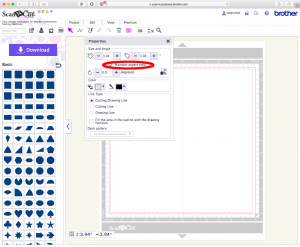
Uncheck the box for Maintain Aspect Ratio.
6) Change the square height to 8.5 inches, and the square width to 11 inches. Now you have a rectangle.
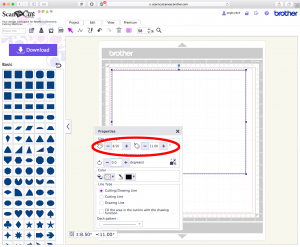
Click the X at the top right of the properties box to close it.
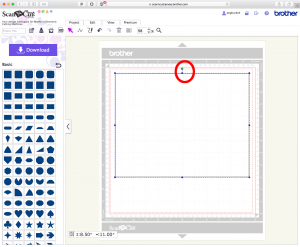
7) Move your rectangle so that the center is at a grid line on the pictured mat. The rectangle’s center marker is circled in red; move that marker so it’s over a grid line, as shown.
8) Click on the Path tool (circled in red). Draw a line starting at the rectangle’s top center marker, along the grid line on which you’ve centered your rectangle, and ending at the bottom center of the rectangle.
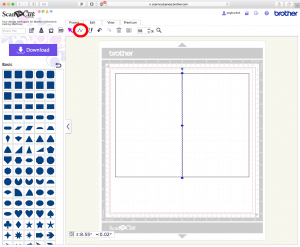
Double-click to end and select the line you’ve just drawn.
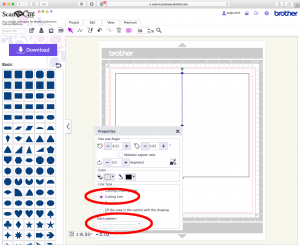
9) Click on the View tab again, and Show Properties. Change the Cutting/Drawing Line to Cutting Line. Change the Dash Pattern from a solid line to a dashed line. (I generally use the dashed line with the dashes closest together to make my card easier to fold.)
10) Give your card a name in the box at the upper left corner of the screen, then save it. (You will be able to retrieve it by clicking on the folder at the top of the screen to the right of your user name.)
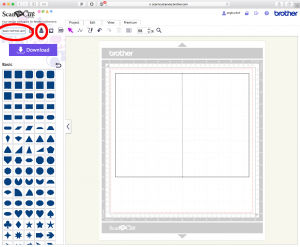
Download it to your computer or to your ScanNCut, and you’re all set to cut your own card.
That’s it! The best part is, once you’ve done all of these steps, the only thing you’ll have to do is cut it. Having saved your half-sheet card, you won’t have to make it again.
See you next time!